This is the first part of a series explaining current technology trends. There is so much great technology out there, but how do you use it? Is it even worth your time to figure it out and use it? Will it enhance your life or make you want to throw your computer out the window? We will explore all of these questions in this series. If there is a specific technology question that you want answered, feel free to ask it in the comments or fill out the contact form.
So let’s get started with the first topic in this series – RSS.
 You may have noticed the little RSS icon on many websites with a statement that usually says, “Subscribe to My Feed.” The icon is also in the address window at the top of your web browser. The icon is typically orange with two white curved lines.
So what the heck is RSS?
RSS stands for Really Simple Syndication or “news feed.” RSS is the format that syndicates content from blogs, news headlines, and podcasts into a subscription. Then a feed reader will read the subscription and show you the content of the website’s articles.
An RSS blog format contains the text and pictures of a blog post. Then the feed reader will show you all the blog posts of all the websites you have subscribed to in one window.
Back in the day, you would have to Bookmark a page in your web browser and then manually click on each individual site. Now with a feed reader you can view all your favorite websites in one window. Saving you time and making it easier for you to keep up with your favorite blogs!
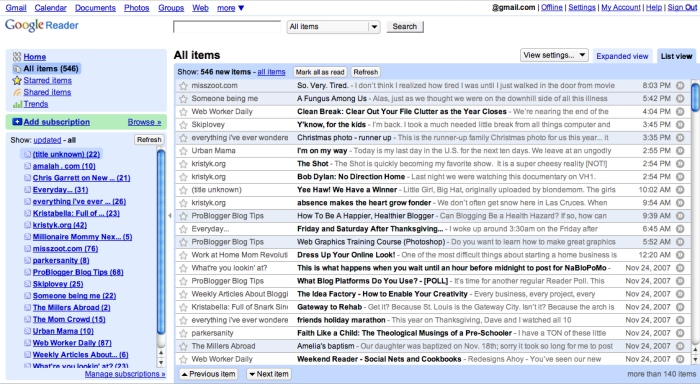
Here is a picture of what my feed reader looks like. (This is the list view.)
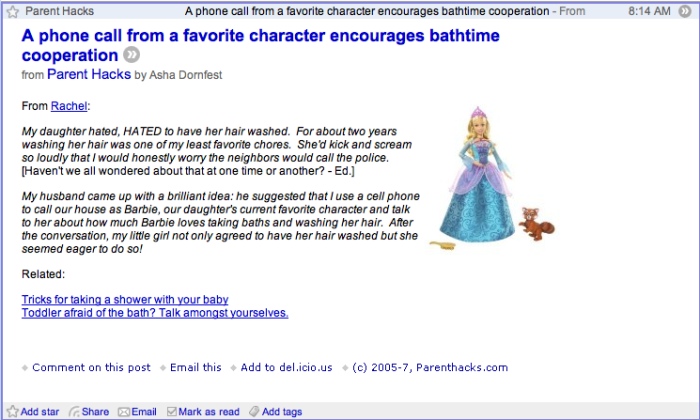
Here is a picture of what a blog post looks like in the feed reader.
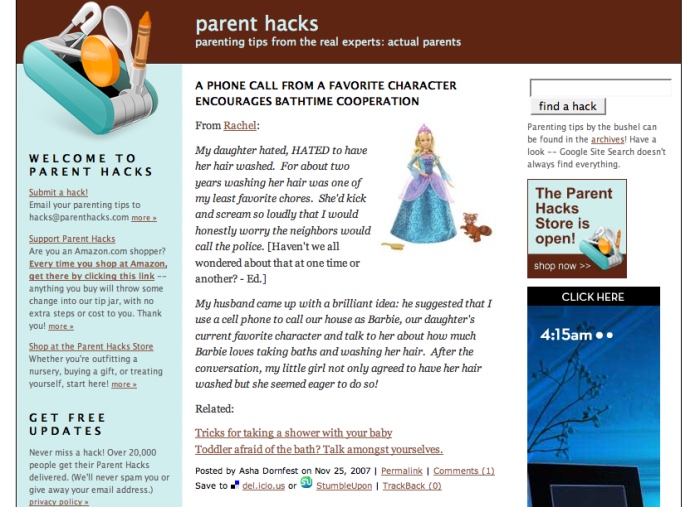
Here is a picture of what that same blog post looks like on its own website.
How Do I Use RSS?
Step 1. Get a feed reader. There are many feed reader options. If you already have a Gmail account, you can easily use GoogleReader. Other popular feed readers are Bloglines, Rojo, and Newsgator. You can also add RSS to your MyYahoo! Page, but it only gives you the titles of the blog posts. The titles of the blog posts then link you to the actual site.
Step 2. Go to the website you want to subscribe to and click on their RSS icon.
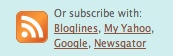
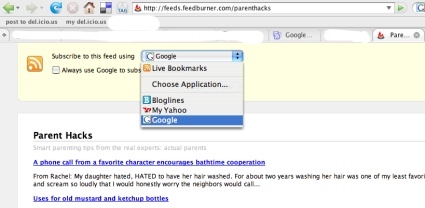
Step 3. A window will open and ask you which feed reader you are using. Choose the feed reader that you have an account with.
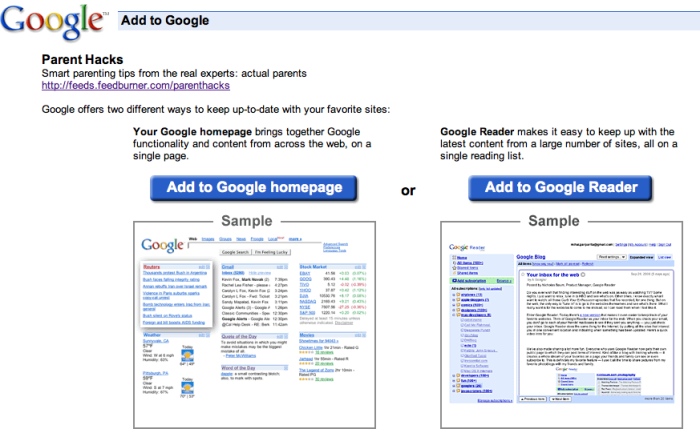
Step 4. Set up any necessary preferences. GoogleReader asks you if you want to view it on your Google Homepage or Google Reader. Bloglines opens up some display options.
Step 5. Enjoy viewing the content of multiple blogs all at once!
Is RSS really that great?
I really like my GoogleReader. I could spend hours reading all the content in my reader. GoogleReader posts the time that the blog post was created, so I can know the second that my friends update their sites. It is really great to have all the posts on my favorite websites in one place. Sometimes I will miss a post when I actually view the site, but I will catch it in my reader.
A feed reader is great for friends who don’t blog often. Instead of going to a website multiple times only to be disappointed that they haven’t blogged in three weeks. You can subscribe to their feed and be pleasantly surprised when one of their posts pop up in your list.
The bad part of using RSS and a feed reader is that you can’t view the comments or write a comment on a post. You have to click through to the post on the website and then comment. For this reason, I still personally visit all my personal friends’ sites, because I enjoy commenting.
If a website has the option you can subscribe to the comments through RSS, but you still can’t write a comment. Also, I have found that popular sites will have many comments that pile up in your reader.
One problem that I have had using my feed reader is that I will subscribe to a blog that I think looks cool, but then I don’t keep up reading the posts and I loose interest quickly.
Another down side to using a feed reader, is that you can’t see a site’s design. You can’t view the fun treasures in the sidebars of your favorite websites. How else will I know what books my friends are reading or who else is in their blogroll? The flip side is that there are no pesky advertisements in the feed reader.
I enjoy using my feed reader to keep up with websites that are informative and where I don’t comment much, but I will still personally visit my favorite friends’ blogs.
Extra Credit:
If a site does not have an RSS option, you can plug the address (URL) of the site that you want to view in your RSS reader into feedity.com.
Further Reading on RSS:
Explaining RSS the Oprah way
RSS in Wikipedia
Easy RSS Explanation
Do you use RSS? Do you like it? Which feed reader do you use?